Practice context in. An editable draft out. Nothing posts by itself.
DentGPTBright Smiles Dental
Draft preview
You
Help us explain first visits to nervous new patients.
Using your voice, services, and current priority
DentGPT“A calmer appointment starts before you arrive.”
Let's adapt this message for the channels your team chooses.
◎InstagramPost draft
fFacebookPost draft
GGooglePost draft
WWebsiteFAQ draft
01Tell us about the practice
Confirm the practice. Add the details for this draft.
02Ask for the work you need
A review reply, social post, or website section.
03Make the final call
See the full draft. Edit it with your team. Nothing posts itself.
Start with draftsThese are product previews, not live customer results. Account access is confirmed before use. The dashboard assistant can read available stored observations; the separate drafting workspace uses practice context. Live profile syncing and provider publishing are Coming soon.
See the whole experience
From “what should we do?” to work your team can actually use.
Explore the workflow before you start: set up the practice, ask for a draft, and review the work. Nothing shown here posts anything.
Practice setupReady
BS
Bright Smiles DentalGeneral dentistry · Fullerton, CA
Complete
VOICEWarm, plainspoken, reassuring
PRIORITYMake first visits feel easier
SERVICESFamily · Cosmetic · Emergency
SOURCESPractice profile · Reviews · Website
ConversationPractice context ready
You
What should we work on this week?
DentGPT
You want to make first visits easier to understand. Let's start with a “what to expect” draft using the visit details your team confirms.
Practice voiceYour stated priorityEditable wording
Turn this into
Social campaignWebsite FAQGoogle postEmail draft
Content StudioChoose your format
InstagramA calmer appointment starts before you arrive.Image · Caption · Hashtags
FacebookThree things to expect at your first visit.Post · Creative · Call to action
Google BusinessNew patients: know what comes next.Post · Button · Suggested timing
Website FAQWhat happens at my first appointment?Answer · Page title · Internal link
ApprovalHuman decision required
INSTAGRAM POSTFirst visit, explained
Ready for review
Caption
A first appointment should leave you with a plan you understand—not more questions. Here is what our team will explain before you decide what comes next.
✓ Practice facts checked✓ Voice matched✓ No patient information
Preview only. These controls do not publish anything.
Monitoring previewScope and activation required
REVIEW CHECKStart with available feedback
Any draft needs your team’s wording and privacy check.
Review the approach →LOCAL VISIBILITYCheck the source before the conclusion
Current connected observations, older captures and missing information stay distinct.
See source availability →CONTENT IDEAExplain the first visit
A team-confirmed priority can become an editable FAQ or social draft.
Explore Content Studio →
One idea · Every useful format
Do not imagine the output. See the whole thing.
DentGPT prepares the complete draft in the shape your team and patients will recognize.
Instagram post
Ready to review—image, caption, hashtags, and all.
One clear idea becomes a complete post in your approved voice. Your team sees exactly what the patient would see.
What to bringWhat happens firstWhen you can ask questions
Bright Smiles Dental
128 likes
brightsmilesdental Nervous about a first visit? We will explain what happens, give you time to ask questions, and help you understand the next step. Save this for appointment day.
#DentalVisit #PatientQuestions #LocalDentist
2 HOURS AGO
Facebook post
Show local families what it feels like to choose your practice.
Turn a service, community moment, or frequently asked question into a complete post that sounds human.
New patient and not sure what to expect? Here is how we make the first visit simple:
1. Tell us what is bothering you
2. Ask every question you have
3. Review the plan before deciding
No pressure and no surprise next step. Call our team if you would like help preparing for your visit.
#NewPatient #LocalDentist #DentalQuestions
YOUR FIRST VISITListen. Explain. Decide together.Bright Smiles Dental · Draft post
👍❤️24
3 comments · 2 shares
Like
Comment
Share
X post
Turn clinical knowledge into a clear, useful thought.
DentGPT removes the jargon and formats the idea for the platform without pretending every post needs to go viral.
One useful question before choosing a dentist:
“If I need treatment, will you show me the options and explain what can wait?”
A good first visit should leave you with a plan you understand—not more questions.
#NewPatient #DentalQuestions #LocalDentist
3:42 PM · Dec 3, 2025
12Reposts
47Likes
5
12
47
Specialist education draft
Help other clinicians understand the cases you are ready to support.
Prepare a clear professional education draft from your confirmed services. Referral Workspace and automated outreach are Coming soon.
Partnering with General Dentists · Newport Beach, CA
1d
The best referral outcomes happen when we align early on case selection and patient education.
I am sharing a simple guide on surgical handoffs that keeps patients informed and improves
post-op compliance. Happy to collaborate with any GP partners who want a copy.
214 reactions38 comments12 reposts
LikeCommentRepost
Content calendar
See the month—not another messy list of ideas.
Keep complete drafts, gaps, approval state, and timing together so your practice can stay consistent.
The review is public. The response still needs a human.
DentGPT can prepare a warm thank-you or a measured response to criticism. Your team checks every word before it goes anywhere.
yelp✱ReviewParody · Not an endorsement
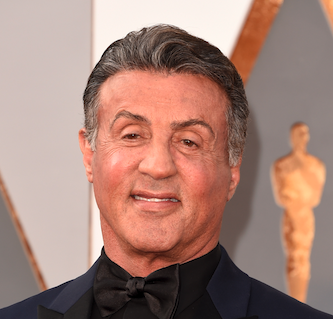
Sly Smile-one
Austin, TX
42 friends · 18 reviews · 7 photos
2 days ago
After years of dental anxiety from a childhood experience, I finally found a dentist who understands.
The dentist took extra time to explain everything, and her gentle approach made all the difference.
My teenage daughter, who inherited my dental fears, actually asked when she can come back.
The whole team made us both feel safe and cared for.
DC
Dr. Chen & Team
Owner · 2 days ago
Sly, thank you for taking the time to share such kind feedback. Your thoughtful words made our team's day!
We appreciate the encouragement. Clear communication and a welcoming practice matter to our team,
and we are grateful for your kind words.
Reply draft · Ready for review
GoogleReviewsParody · Not an endorsement
Steven Seagull
Local Guide·8 reviews
★★☆☆☆June 27, 2025
I've been to better. The wait was long and I felt like the cleaning was rushed. I expected more. I am not a fan of the background music, either.
Dr. AveryOwner
Hi Steven, thank you for your feedback. We are sorry the experience did not meet your expectations. We would appreciate the opportunity to listen and make things right. Please contact our office manager at your convenience.
With founder-assisted monitoring confirmed and activated, assistants can organize available observations into a useful briefing: what changed, what is missing, and what your team could review next.
We agree on practice scope, source access and cadence before activation. A briefing needs successful current source runs. Fully automated provider-connected monitoring and complete owned review sync remain Coming soon; a new account or draft does not activate them.
DDentGPTPractice intelligence
REVIEWSReview context
Available public feedback and privacy-conscious reply ideas.
LOCALLocal visibility
Dated observations and the next useful check.
CONTENTContent planner
Ideas tied to your confirmed services and goals.
SEARCHSearch evidence
Exact-property Search Console observations when connected.
MARKETMarket briefing
Available nearby context and questions worth investigating.
Fast enough to help · Careful enough for the practice
AI does the drafting. People keep the authority.
NO PHI
Practice marketing only
DentGPT is not for patient names, records, appointments, treatment, insurance, or clinical work.
REAL CONTEXT
Facts stay facts
Connected provider data, public observations, practice input, and estimates remain visibly different.
DRAFT FIRST
Nothing auto-posts
Creating a draft does not publish it, change a provider, spend money, or contact anyone.
YOUR FINAL SAY
Review every action
Edit, reject, request changes, or approve through the correct Dentplicity workflow.
Have questions about Dentplicity? Our team is here to help.
Sending your message...
Dentplicity
Your free practice report
Your Google presence, nearby practices, and a useful next step.
Google & reviews
Nearby practices
What to improve
We use analytics cookies to understand how the product is used. They are
not required to use Dentplicity, and we do not sell your data.
What we collect.